

Kyocera TASKalfa 3254ci refurbished printer enquiries in Dubai and the UAE: compare the model, configuration and service arrangements with SOS IT Trading.
Refurbished Kyocera TASKalfa 3254ci for Dubai and UAE offices
Kyocera TASKalfa 3254ci is a refurbished A3 colour multifunction printer for businesses comparing office printing, copying and scanning equipment in Dubai and across the UAE. SOS IT Trading can discuss your requirements and provide a quotation for an available unit. Confirm the individual machine condition, configuration, meter reading, price and service terms before ordering.
Kyocera TASKalfa 3254ci for everyday office printing
For an office moving from a desktop printer to a shared A3 device, this model brings routine document tasks into one place. Use it to plan everyday colour documents, internal reports and scanned records without choosing a faster machine than your workload requires. Its A4 engine is rated up to 32 pages per minute. Discuss your usual job sizes and peak periods with our team so the proposed configuration suits your working day.
Colour printing, copying and scanning
An A3 colour MFD lets a workgroup handle several document tasks using a shared machine. Think about the paper sizes you use most, the balance between colour and monochrome work, and the documents your staff scan regularly. A model specification describes its capabilities, while the actual refurbished unit determines which accessories are included. Ask about the document feeder, paper drawers, output arrangement and any finishing equipment when reviewing a quotation.
Check the refurbished unit before ordering
Ask for photographs of the offered machine, its meter reading and a clear description of cosmetic condition. Discuss any signs of wear and ask what inspection or preparation is included. If print quality matters for customer-facing material, request a sample or demonstration where available. Refurbished equipment can differ from unit to unit, so make your decision using the details of the machine being quoted rather than assuming every listing has an identical configuration.
Plan installation and office connectivity
Tell us where the printer will be installed and how your team will use it. Relevant details include your operating systems, network connection, scan destinations and available space. Check access through doorways, lifts and corridors, and allow room for opening trays and service covers. Ask whether delivery, positioning, installation, driver setup and staff guidance are included in the proposed package. These arrangements should be agreed before you confirm an order.
Request a quotation for your UAE location
For a useful Kyocera TASKalfa 3254ci quotation, include your emirate, business location, estimated monthly print volume and required paper sizes. Mention whether you need colour printing frequently, scan large document batches or require specific finishing features. SOS IT Trading accepts enquiries from Dubai, Abu Dhabi, Sharjah, Ajman, Umm Al Quwain, Ras Al Khaimah and Fujairah. Confirm the available delivery arrangements, installation scope and service coverage for your exact location with our team.
Frequently asked questions
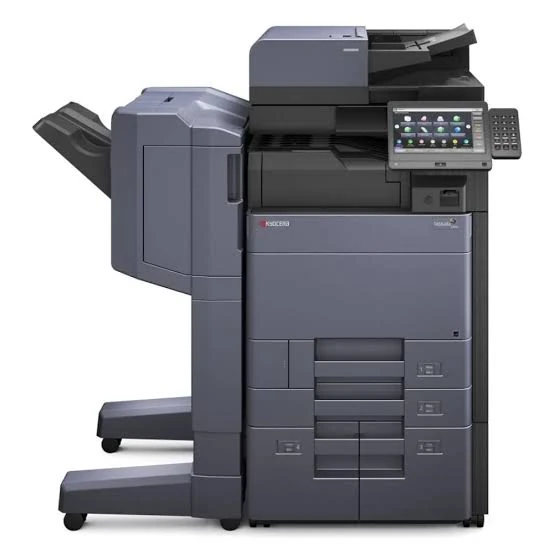
Is this printer brand new? No. This listing is for refurbished equipment. Are all accessories shown included? Manufacturer photographs can show optional equipment; ask for the offered configuration. Is a warranty or maintenance agreement included? Request the applicable terms in writing because coverage depends on the quotation. Can I obtain a price online? Contact our team with your requirements for a current quotation. Does the image show my actual machine? Treat manufacturer imagery as a model reference and request photographs of the available unit.
Compare your options
Compare the Kyocera TASKalfa 3254ci with other refurbished Kyocera printers using your actual office needs. Review the proposed condition, included accessories, print workload, installation arrangements and total quoted cost together. A suitable printer should fit both your document workflow and the support arrangements you want. Our team can help you ask the right questions before you choose a unit.
Key specifications
| Brand and model | Kyocera TASKalfa 3254ci |
|---|---|
| Condition | Refurbished |
| Type | A3 colour multifunction printer |
| Functions | Print, copy and scan |
| A4 engine speed | Up to 32 pages per minute |
Contact SOS IT Trading for a quotation or compare refurbished Kyocera printers. Review the manufacturer model specifications for reference; supplied options vary by unit.
Define the job this printer needs to do
Start by listing the documents your office creates during a normal week. Separate internal paperwork from material sent to customers, and note which jobs need colour, A3 paper or larger batches. A low monthly total can still include a demanding peak at month end. Equally, a busy scanning team may value the document feeder configuration more than engine speed. Give your supplier a realistic picture of those patterns. This helps you compare the Kyocera TASKalfa 3254ci with alternative refurbished models using your own priorities rather than choosing only by the headline printing speed.
Make a simple print-volume estimate
If you already have a shared printer, review its recent meter readings or management reports where available. Compare more than one month if your business has seasonal workloads. Distinguish colour from monochrome pages and identify jobs currently outsourced to another supplier. If records are unavailable, estimate how often each team prints and how large its typical jobs are. Treat the result as a planning figure, not an exact forecast. Share both the usual workload and the highest expected month when requesting a Kyocera TASKalfa 3254ci quotation so the discussion covers routine use as well as busy periods.
Compare Kyocera TASKalfa 3254ci quotations
A quotation is easier to evaluate when the scope is clear. Ask each supplier to identify the exact printer model and whether the equipment is refurbished. Compare included accessories, any quoted consumables, delivery arrangements, installation work and applicable tax treatment. Request separate clarification of items that are optional or excluded. A low equipment price and a more complete installed package are different proposals. Avoid assuming that two photographs of similar machines represent identical offers. Keep the final written configuration with your purchase records so the equipment delivered can be checked against the agreed order.
Kyocera TASKalfa 3254ci meter readings and condition
A meter reading provides information about recorded machine usage, but it should be considered alongside inspection details and the condition of the individual unit. Ask what readings are available and whether colour and monochrome usage are reported separately. Discuss exterior wear, the condition of paper drawers and covers, and any issues noted during preparation. Request clarification of work carried out by the seller rather than assuming a standard refurbishment procedure. A description such as refurbished does not by itself establish a particular meter limit, warranty period or list of replacement components.
Kyocera TASKalfa 3254ci accessories and configuration
Describe the finishing and paper-handling tasks your staff actually perform. You may need frequent scanning of multipage originals, extra paper supply, or a particular method of organising output. Ask the supplier to identify the compatible accessories included with the offered unit and to distinguish them from optional additions. Accessories can change the space required and the overall quotation. If a photograph shows several drawers or an external finishing assembly, request a written list of what will be supplied. This avoids treating an illustrative manufacturer configuration as a promise about the available refurbished machine.
Plan your Kyocera TASKalfa 3254ci installation
Plan the delivery route as well as the final position. Consider building access, lift availability, doorway clearance and whether the equipment must pass through a reception area or occupied workspace. Discuss any restrictions with the delivery team before scheduling. At the installation location, allow access to drawers, covers and the output area. Keep the area suitable for ordinary office equipment and ask the supplier about the specific installation requirements for the configuration quoted. Do not estimate electrical or environmental requirements from another model; confirm the information relevant to the unit you will receive.
Kyocera TASKalfa 3254ci network and scanning setup
Before installation, identify who will coordinate the network and user setup. Tell your supplier which computers and operating systems need access, and ask what driver installation or configuration support is included. For scanning, agree the intended destinations and involve the person responsible for email or shared-folder settings. Your IT team should manage credentials and access permissions through its normal procedures. Avoid sharing passwords in a general sales enquiry. Clarifying responsibilities early helps prevent a printer delivery from becoming a separate unresolved network or workflow project.
Agree document security and data handling
A shared Kyocera TASKalfa 3254ci can handle confidential paperwork, contact information and scanned documents. Ask your IT team which access controls and document-handling practices are required for your workplace. Discuss the available configuration with the supplier rather than assuming that every security feature or optional licence is installed. For refurbished equipment, ask how previous user information and stored settings are addressed before delivery. At the end of your own ownership or service arrangement, agree who is responsible for handling stored data. These questions are especially relevant when equipment is moved between departments or returned to a supplier.
Kyocera TASKalfa 3254ci maintenance and support
Request a clear explanation of the support proposed for your location. Ask whether a service agreement is offered, what work it covers, which consumables or replacement components are excluded, and how service requests should be raised. Confirm any response commitments directly in the agreement; a product listing should not be treated as a guaranteed response-time promise. If your office relies heavily on one shared device, discuss how you would handle an interruption. Keep service contact details and the machine identifier accessible to the staff who will report faults.
Kyocera TASKalfa 3254ci running-cost questions
Equipment cost is only one part of a purchasing decision. Ask about the consumables suitable for the exact machine configuration and the terms under which they are supplied. If a cost-per-page or maintenance package is proposed, request its definitions, allowances and exclusions in writing. Explain your expected balance of colour and monochrome work so quotations can be discussed on a consistent basis. Actual consumption depends on document coverage and operating conditions. Avoid treating a nominal cartridge yield or an example calculation as a guarantee of the cost of every page your office prints.
Your Kyocera TASKalfa 3254ci handover checklist
At delivery or installation, compare the model and accessories with the agreed quotation. Ask the supplier to demonstrate the functions included in the setup and identify any follow-up work. Where practical, use representative documents to check the printing, copying and scanning workflows your staff will rely on. Confirm how users should request help and what information to provide if a problem occurs. Retain the invoice, written service terms and configuration details. A straightforward handover gives both your team and the supplier a shared record of what was delivered and what was agreed.
Help staff use the shared printer consistently
For your Kyocera TASKalfa 3254ci, nominate a person to coordinate routine printer questions, especially during the first days after installation. Give staff clear guidance on choosing the correct device and appropriate print settings. Encourage users to check paper size and colour requirements before submitting large jobs. Keep a record of recurring messages or workflow problems so support enquiries include useful details. Staff should follow the supplied operating instructions and avoid opening service areas or attempting repairs outside their training. Simple, consistent office procedures can make shared equipment easier to manage without making assumptions about a particular maintenance contract.
What information should I send with my enquiry?
For a Kyocera TASKalfa 3254ci enquiry, include the model name, your emirate, office location, intended use and approximate print volume. Add your paper-size requirements and explain whether scanning, additional paper drawers or finishing features are important. If you have an existing printer to replace, identify its model and the main limitation you want to resolve. You can also ask about delivery timing and installation scope. Please request current availability and a written quotation before making purchasing arrangements; the listing does not confirm an individual unit configuration or a fixed delivery date.
Can the same model be offered in different configurations?
For the Kyocera TASKalfa 3254ci, compare the actual accessories and included setup rather than relying on the model name alone. A refurbished listing identifies the base model and condition category, while available units may differ in paper handling, document feeding and finishing equipment. Some capabilities may depend on installed options or the configuration selected. Ask the supplier to explain any differences between the reference specifications and the machine being quoted. If an accessory is essential to your workflow, have it identified explicitly in the final proposal before you confirm the order.
How should I compare this model with a faster printer?
When comparing the Kyocera TASKalfa 3254ci, use the manufacturer engine speed as one comparison point, then look at your job sizes, document complexity, paper requirements and scanning workload. A faster model is not automatically the most suitable purchase for every office. The condition of the offered equipment, included options, installation arrangements and support terms also matter. Ask for a comparison based on the way your team works. When practical, discussing a representative print or scan task can be more useful than comparing headline speeds without considering the rest of the office workflow.
Reading the Kyocera TASKalfa 3254ci reference image
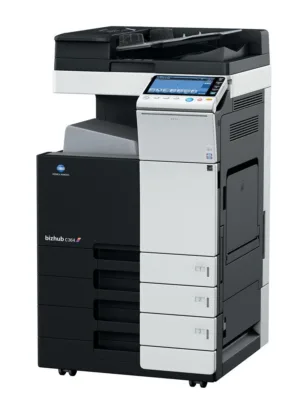
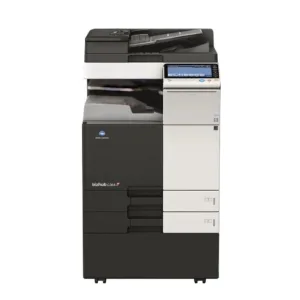
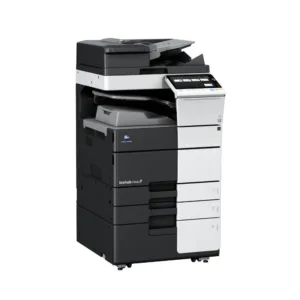
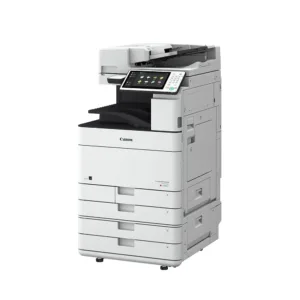
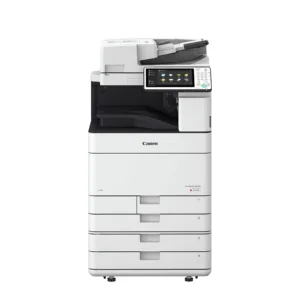
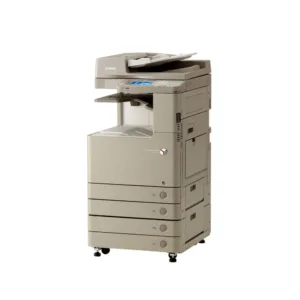
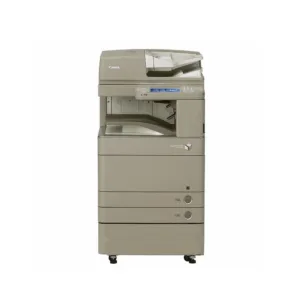
The supplied reference picture helps you recognise the printer layout and discuss the configuration you want. It shows a substantial office device with a document feeder, colour control screen, paper drawers and an extended output arrangement. Use those visible features as discussion points when requesting a quotation. A reference image does not establish the condition, meter reading or exact accessories of an individual refurbished unit, so ask our team to identify the machine and equipment proposed for your order.
For your Kyocera TASKalfa 3254ci enquiry, explain which parts of the pictured arrangement are important to your office. You may be interested in the paper supply, the position of the control panel, or the way completed documents are collected. Ask whether the offered configuration includes the corresponding equipment and whether any additional option is required. Keep that information with the quotation so everyone involved in purchasing, delivery and installation is working from the same agreed specification.
Confirming your Kyocera TASKalfa 3254ci configuration
Before confirming an order, request current photographs of the actual refurbished machine where available. Useful views include the complete unit, its identification details, the control panel and any included accessory. If exterior condition is a deciding factor, ask for close views of the areas you want to inspect. These photographs complement the written description; they should not replace a clear statement of the model, condition, included configuration and commercial terms.
If your office needs a compact installation, discuss the space occupied by the complete proposed configuration rather than estimating from the reference picture. Include access for opening drawers and covers and collecting output. Tell the supplier about nearby desks, walls and access routes. Ask for the relevant dimensions before finalising the installation position. This is particularly useful when your order includes equipment extending to the side of the main printer body.
When reviewing a Kyocera TASKalfa 3254ci offer, separate essential requirements from optional preferences. Record the functions and accessories you need immediately, then ask about other suitable options if they matter to future work. Confirm availability, pricing and compatibility directly with our team. Do not assume that every accessory visible in a product photograph is included in the displayed model listing or that a particular refurbished unit can be supplied in every illustrated arrangement.
Send your chosen configuration, UAE location and preferred contact details through our contact page. Our team can use that information to clarify the equipment being offered and answer outstanding questions before you proceed. Retain the final quotation and the agreed configuration for comparison at delivery. This gives your purchasing and office teams a clear reference for checking the supplied machine, accessories and installation arrangements.